
Test scope, screenshots, checkpoint findings and tier rationale were supplied by an identified reviewer. Identity is retained internally unless public attribution is explicitly enabled.

EdTech · South AfricaFull evidence record
VarsityOS
VarsityOS is a South African student operating system combining academic planning, financial-literacy tools, bursary discovery, AI assistance and student-safety features.
Sandbox Africa checked the submitted evidence and promoted the verified checkpoint record. Any visible adjustment is identified rather than silently rewritten.
The official public tier and technical record below are the verified publication outcome.
Tier 2 — Market-Ready
Keep Tier 2. Multiple core user workflows were directly verified and the product is actively market-facing; the evidence does not establish enterprise-grade Tier 3.
Strongest supporting evidence
The strongest evidence for Tier 2 is the combination of a live product, successful student onboarding and demonstrated functionality across multiple student-life areas.
Why the next tier is not yet supported
It does not yet qualify for Tier 3 because the evidence does not establish the reliability and maturity of the wider product ecosystem. A significant number of advertised functions remain untested, while performance, integration readiness, accessibility and technical security have not been independently verified.
Verified findings and limitations
Direct review observations
The intern completed self-service onboarding and directly used multiple student-management and AI-assisted features. Not every advertised module or institutional integration was exercised.
Independent verification
The current official site remains active and describes a broad student toolset, including bursaries and a Safety OS with SOS, Walk Me Home and incident-reporting capabilities.
Observed issues
Feature density and long onboarding can add friction; integration readiness was not independently demonstrated.
Testing limitations
The full tool ecosystem, safety-response outcomes, institutional integrations and production-scale performance were not comprehensively tested.
Independent verification sources. Source 1
What was actually assessed
Central Workflow Sign Up → Verify/Set Up Student Profile → Provide Student Information → Configure Student Context → Access Student Tools → Use Relevant Functions Direct Testing Perspective The testing was conducted from the perspective of a student user. The observed onboarding and functionality included: Bot verification Questions about school/university, year and faculty Questions about monthly expenses Information about who the student lives with Grocery expenditure information Timetable information Introduction to Nova, the platform's AI chatbot Money-management functionality
Environment / device / browser
Windows 11
Account or access type
demo student account
Access limitations
Paid Features VarsityOS operates on a freemium model. The platform states that its core tools are available on the free plan, while paid subscriptions primarily expand access to Nova AI and related AI functionality. Free — R0 The free tier includes: Budget & NSFAS tracker Study Planner & Exam Prep Savings Goals Stokvel OS Safety OS Fitness Meal Prep 20 Nova messages per month Offline PWA functionality Nova Scholar — R29/month Adds: 150 Nova messages per month AI Recipe Generator AI Budget Coach AI Study Plans & Exam Prep Priority support Nova Unlimited — R89/month Adds: Unlimited Nova messages CSV data export Early access to new Nova features Direct feedback channel to the builder These paid tiers were identified from the public pricing information but were not purchased or functionally tested during the assessment. Institutional / Enterprise Offering VarsityOS also presents an institutional offering for universities, TVETs and SRCs. Institutions can sponsor premium access for students and receive anonymised cohort-level insights relating to student wellbeing and academic risk. This institutional model was not tested and no institutional account or administrative access was available. Untested Roles The direct assessment was conducted from the perspective of an individual student user. The following roles were therefore outside the tested scope: University administrators TVET administrators Student Representative Council (SRC) administrators Institutional support teams Institutional data/analytics users Tutors Alumni mentors Peer-to-peer marketplace participants Other students interacting as content providers Institutional or enterprise purchasers
What was observed
These images formed part of the evidence pack considered during verification. Full-standard records retain the contributor's factual caption for each screenshot.
Evidence 1
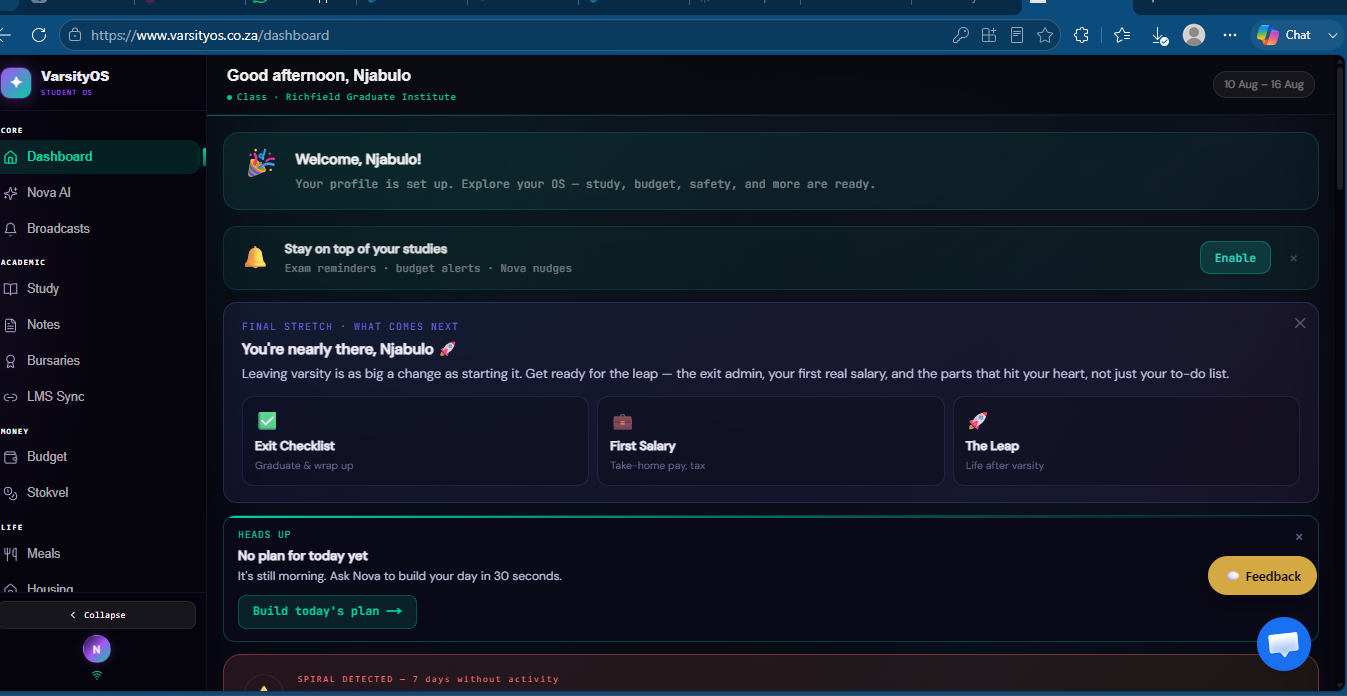
Dashboard including study reminders, assistance on how to manage my first salary.
Evidence 2
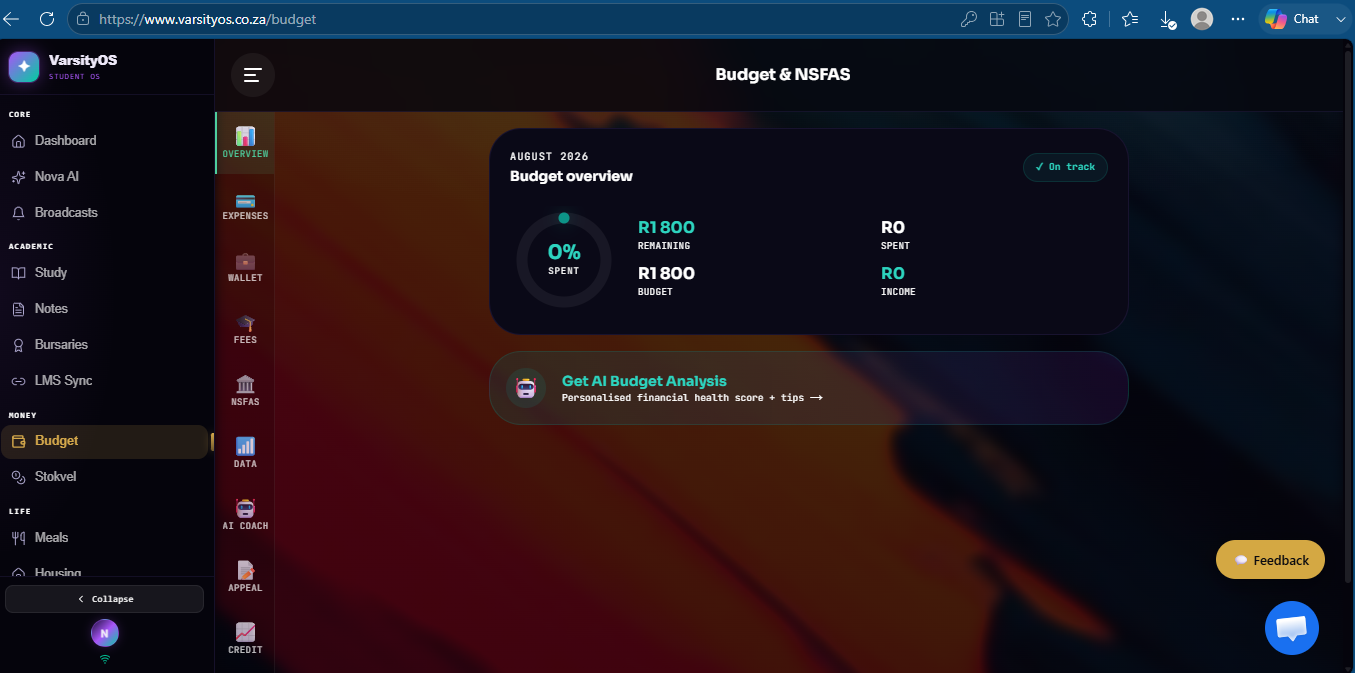
Budget profile, Slips need to be uploaded so the AI assistant can track the movement of money.
Evidence 3
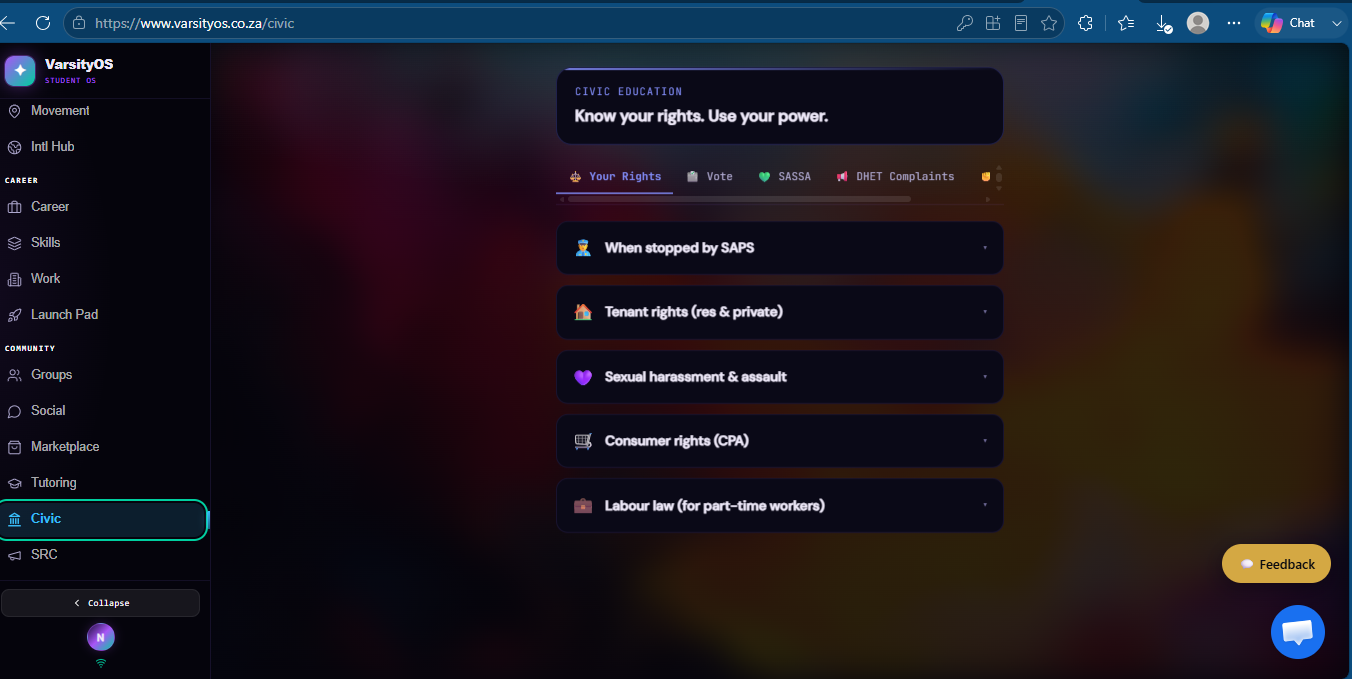
Information on what rights to practice when facing certain situations
Evidence 4
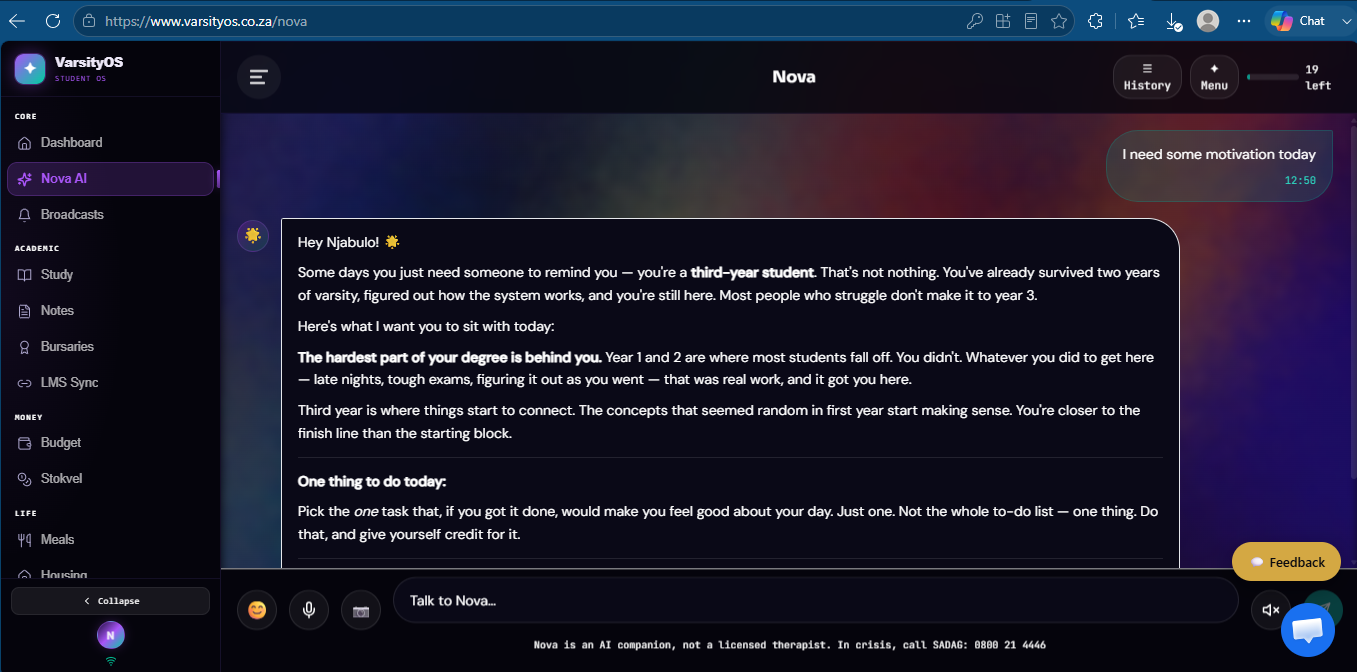
Conversation with the Nova AI chatbot
Seven checkpoint assessment
The verified result is the official public checkpoint record. For earlier-standard reviews, these findings may have been reconstructed from preserved evidence during Sandbox Africa’s 2026 audit; they are not presented as if the contributor originally completed a structured worksheet. Contributor-submitted checkpoint wording is shown only where explicit public reviewer attribution has been enabled.
Step 1 — The Existence & Accessibility Check
Is it live?
Checking for dead links, infinite loading screens, or "Coming Soon" landing pages masquerading as live products.
Sandbox verifiedpass
VarsityOS qualifies as a live product. The platform has an accessible account pathway and, importantly, direct user testing demonstrated an operational onboarding experience and access to multiple student-focused functions. It should not, however, be assumed that every feature presented on the website has been functionally verified.
Onboarding friction
Can a user or enterprise actually sign up, or is it gated behind broken "Contact Sales" forms?
Sandbox verifiedpass
VarsityOS demonstrates a functional self-service onboarding pathway for individual students. Users are not required to go through a sales process or submit a “Contact Sales” form before accessing the product. The principal friction is the breadth of information requested during profile setup rather than an inability to register.
Step 2 — Functional Testing (The "Try It Out" Phase)
Core loop execution
Does the application actually do what it claims to do? (e.g. a payment gateway completing a test transaction, a logistics app's routing engine working.)
Sandbox verifiedpass
VarsityOS passes the core-loop test for the student onboarding and selected student-management functions that were directly accessed. The evidence supports the execution of the tested functions, not the entire 30+ tool ecosystem claimed by the platform.
User experience (UX) & interface (UI)
Assessing the logical flow, responsiveness, and basic accessibility of the platform.
Sandbox verifiedpartial
Good UX/UI — functional and logically structured, with feature density and extensive onboarding as the main areas requiring attention.
Step 3 — Technical & Architectural Assessment
Performance
Load speeds, uptime reliability, and basic stress responses.
Sandbox verifiedpartial
VarsityOS demonstrated sufficient performance to support the tested student journey, with no persistent loading or availability failure preventing task completion. The platform also states that its PWA supports offline use. However, quantitative load-speed measurements, historical uptime and stress tolerance were not tested and therefore cannot be used as evidence of production-scale performance.
Integration readiness
Availability, clarity, and functionality of API documentation and webhooks.
Sandbox verifiedpartial
o public API or webhook documentation was verified, and no developer or institutional integration workflow was tested. Editorial proposal adjusted from not_assessed to partial using current independent verification and the established gated-product/safety-critical rules.
Verification adjustmentSecurity basics
SSL certification, basic encryption standards, and data handling transparency.
Sandbox verifiedpass
he platform explicitly identifies its encryption standards, authentication controls, data-storage arrangements, third-party processors and POPIA framework.
Company right of reply
Claim company profile
Represent VarsityOS?
Claiming verifies company ownership and enables a response or additional evidence. It does not permit editing of the independent review.